How much VRAM does Z-Image Turbo need?
14.2 GB of VRAM at peak for one 1024 × 1024 frame, measured with Latent on an RTX 5070 Ti (16 GB), with the text encoder on the CPU. It made the frame in about 13 seconds in 9 steps. On a smaller card, Latent streams the model through the GPU in 2 to 5 GB of VRAM instead: same picture, slower.
Guides online disagree on this, from 6 GB to 16 GB. Most of that difference is quantization (smaller, approximate copies of the weights) and offloading. The figures below are for the full BF16 model, measured, not estimated.
Speed and memory on each kind of hardware
| Where it runs | Time per frame | Memory it needs |
|---|---|---|
| On the GPU | 13 s | 14.2 GB VRAM at peak |
| Streamed from RAM | 57 s | 2 to 5 GB VRAM, plus the whole model in RAM (12 to 22 GB across Latent's models) |
| Streamed from disk | 108 s | 2 to 5 GB VRAM, 18.9 GB RAM, and a temporary copy on disk while loaded |
| On the CPU | not measured | about 23 GB RAM (estimated) |
The streamed tiers give the same output as the GPU: same weights, same seed. Disk streaming reads the model from disk at every step, so a hard drive is much slower than the NVMe SSD used here.
Running it on an 8 GB or 12 GB card
Z-Image Turbo doesn't fit whole on 8 or 12 GB, so Latent picks the first tier that does fit when Settings › Run models on is set to Automatic, the default. With enough RAM to hold the model, that's streaming from RAM, at about 57 seconds a frame. With less RAM, it streams from disk.
If you want something quicker on 8 GB, Latent's own advice is FLUX.2 klein 4B or SANA-Sprint 1.6B, which fit on the card.
What else Z-Image Turbo needs
- Disk: a 33 GB download.
- License: Apache 2.0, so commercial use is allowed.
- Does: makes new images. It doesn't edit photos; for that, use FLUX.3 klein, FLUX.2 klein 4B or Qwen-Image 2.1 Turbo.
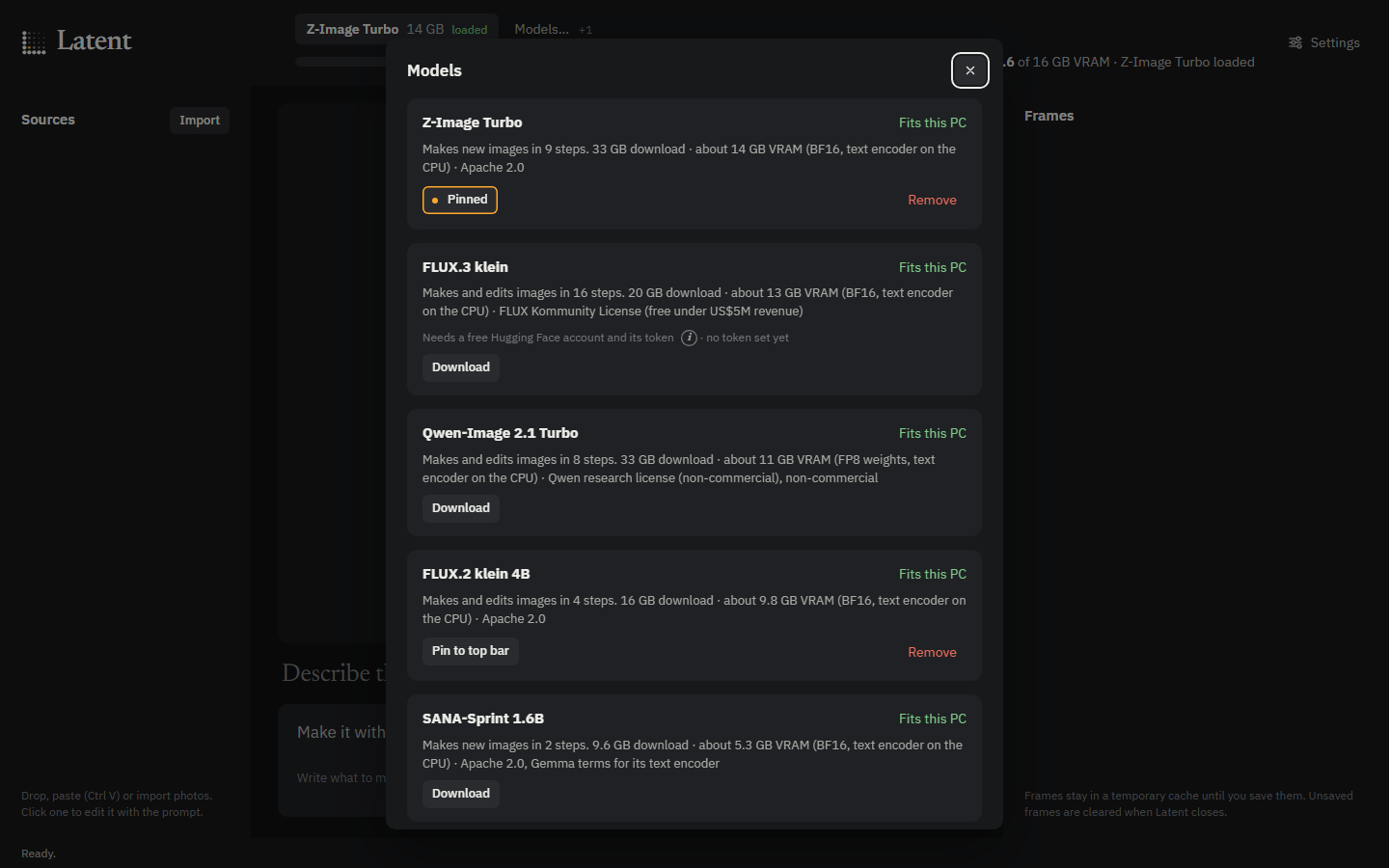
Run it in Latent
- Install Latent from the latest release, and uv, which it uses to download models.
- Open Models and download Z-Image Turbo. On a 16 GB card it's a good first pick.
- Type a prompt, choose an aspect ratio and press Ctrl Enter. The frame develops in its tile; Esc cancels it.
- Press Ctrl S to keep the frame. Its recipe (model, prompt, size, seed, steps) is saved inside the PNG.