Generating AI images without a GPU
Yes, it works. On a Ryzen 7 7800X3D with no graphics card involved, SANA-Sprint 1.6B made a 1024 × 1024 image in about 37 seconds with 11.9 GB of RAM. FLUX.2 klein 4B took about 177 seconds with 18.6 GB. Larger models need 19 to 35 GB of RAM on the CPU.
CPU times and memory
| Model | Time per frame | RAM on the CPU |
|---|---|---|
| SANA-Sprint 1.6B | 37 s | 11.9 GB (measured) |
| FLUX.2 klein 4B | 177 s | 18.6 GB (measured) |
| FLUX.3 klein | not measured | about 22.6 GB (estimated) |
| Z-Image Turbo | not measured | about 23 GB (estimated) |
| Kromoss | not measured | about 29.6 GB (estimated) |
| Qwen-Image 2.1 Turbo | not measured | about 34.9 GB (estimated) |
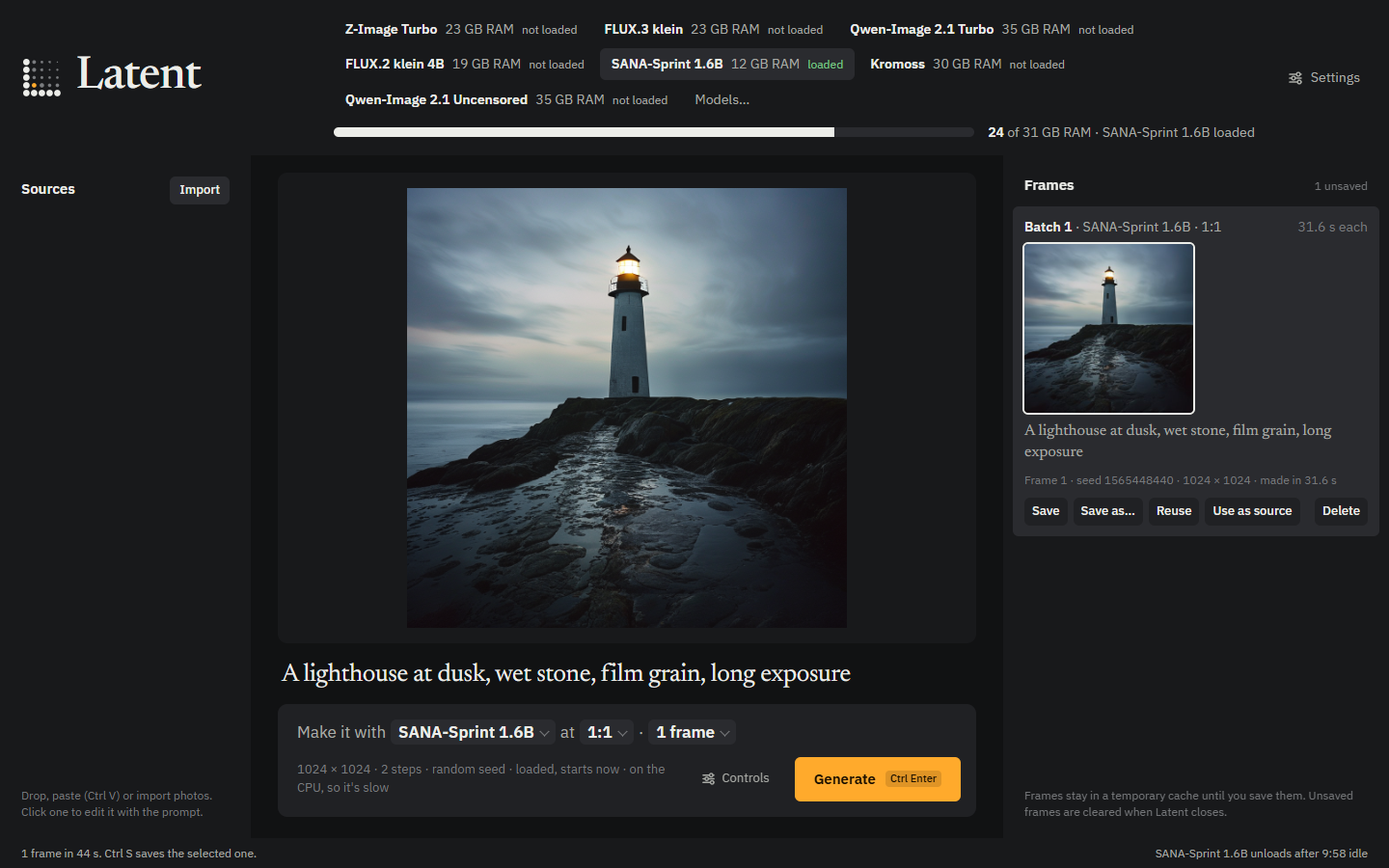
When Latent uses the CPU
With Settings › Run models on set to Automatic, Latent runs a model on the CPU when there's no usable GPU, or the GPU has under 2 GB of VRAM. Choose CPU to never use the graphics card at all.
A GPU with 2 GB or more is worth using even if the model doesn't fit: Latent streams the model through it a block at a time. FLUX.2 klein 4B drops from 177 seconds on the CPU to about 25 seconds streamed. See all models compared.
Apple Silicon Macs
On Apple Silicon, the CPU and GPU share one pool of memory, so there's nothing to stream between: Latent runs each model whole on the Mac's GPU. The Mac build is newer than Windows and Linux and hasn't been tested as widely.
Try it
- Install Latent from the latest release, plus uv.
- Open Models and download SANA-Sprint 1.6B, a 9.6 GB download.
- Type a prompt and press Ctrl Enter. The note under the prompt says the run is on the CPU.